


HubSpot to Healthie Patient Sync
When a new contact is added to HubSpot, this workflow pulls contact details and automatically creates a patient profile in Healthie.
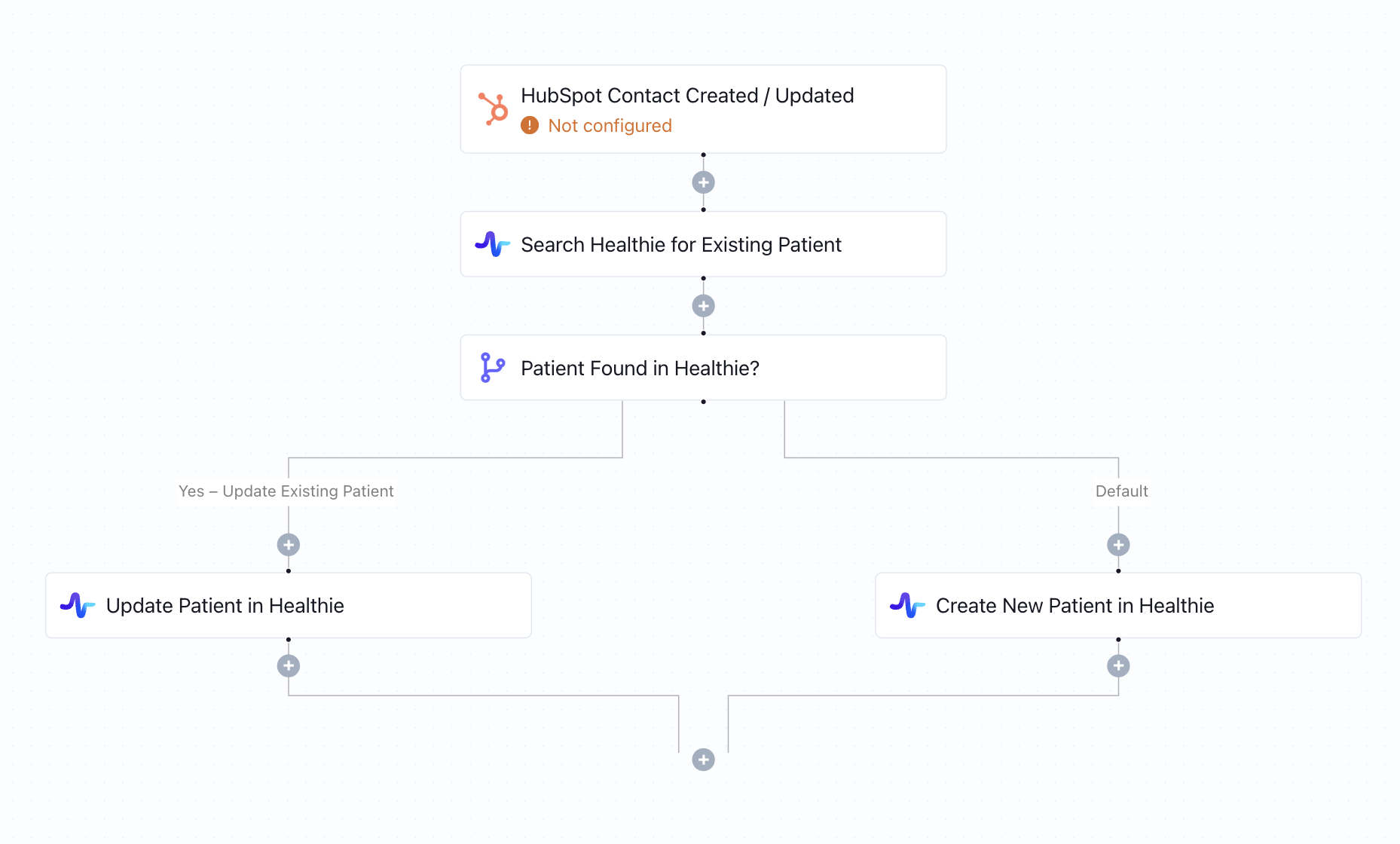
Click to expand
How the automation runs
- A contact is created or updated in HubSpot (e.g., after a deal is won)
- Keragon retrieves the full contact details from HubSpot
- The workflow searches Healthie for an existing patient record matching that contact
- If found, the Healthie patient profile is updated with the latest HubSpot data
- If no match exists, a new patient record is created in Healthie automatically
Is this for you ?
- You use HubSpot as your CRM and Healthie as your EHR
- Your team manually creates Healthie patient records from HubSpot contacts
- You're scaling fast and need the CRM-to-EHR handoff to be seamless and automatic
- You run a direct-to-consumer health company that needs sales and clinical ops connected



More templates by
Keragon
More
Patient Records
templates
Related templates
































FAQ
No items found.