


Jotform to Zenoti Appointment Scheduling
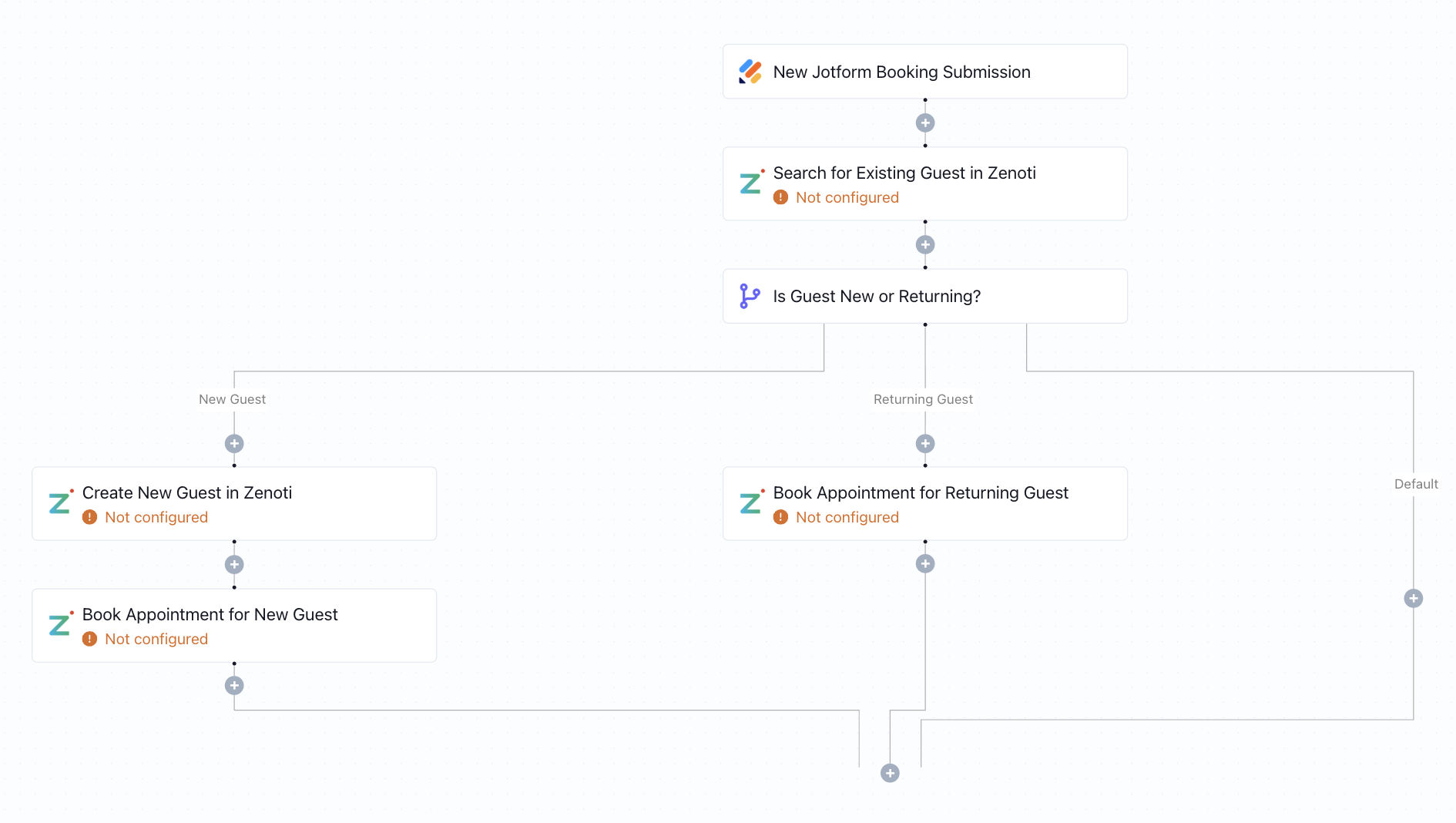
When a new Jotform is submitted, this workflow creates a guest profile and books their appointment in Zenoti - no manual entry required.
Click to expand
How the automation runs
- A client submits your Jotform booking or intake form
- Keragon checks whether the guest already exists in Zenoti
- If new, a guest profile is created in Zenoti using the form data
- An appointment is booked in Zenoti for the new or existing guest using the service and time from the form
- The entire intake-to-booking flow completes automatically — no staff action needed
Is this for you ?
- You run a medspa, wellness clinic, or beauty practice using Zenoti for management
- Jotform is your intake or booking form, but it's not connected to Zenoti
- Your staff spends time after each submission manually creating guests and scheduling appointments
- You want a no-code solution that handles both guest creation and booking in one automated flow



More templates by
Keragon
More
Appointment Scheduling
templates
Related templates
































FAQ
No items found.