Build an AI patient engagement agent that brings patients back and follows up after every visit
Connect your EHR and the messaging tool you already use to Keragon. The agent reaches patients who are due, follows up after each visit, reads every reply, books the next visit into your EHR when a patient says yes, and hands anything clinical or urgent to a person on your team.
Your voice AI agent · the conversation
Keragon · in your systems
Illustrative call with synthetic names.
Trusted by healthcare teams across the US






The problem
Patients go quiet, and the follow-up becomes another inbox nobody owns
- Patients who are due simply go quiet The recall list lives in a report someone runs when there is time, and the patient who was due in March is still due in September.
- Reminders went out, and the replies landed in another inbox The text says do not reply, the patient replies anyway, and the question about Friday's visit sits unseen until Friday.
- The EHR and the texting tool tell different stories The chart says cancelled, the reminders keep going, and the patient asks why they are still hearing about a visit they moved.
One AI agent, connected to your EHR and the messaging tool you already use through Keragon, brings patients back when they are due, follows up after every visit, reads each reply and books the next visit into your EHR. Anything clinical or urgent goes to a person on your team, with the patient's exact words.
What it handles
Every patient reached at the right moment, every reply with an owner
The agent does the reaching, the reading and the booking. Your team keeps every clinical call and every judgement call.
Recall and reactivation
Reads your EHR for patients who are due with no future visit, invites them, and books the visit when they say yes.
Post-visit follow-up
Sends the approved after-visit information the day after a completed visit and helps with the next administrative step.
Adherence nudges
Reminds patients of tasks in a clinician-approved plan at the time they chose, and records what they report.
Care-gap and wellness-visit outreach
Works the list of overdue preventive visits your clinical team approved and books the visit; your EHR decides when the gap is closed.
Two-way communication
Reads every reply for what the patient wants, answers practice questions, and routes anything clinical, urgent or unclear to a person.
Review requests
Asks every eligible patient for an honest review on the same schedule, with a private way to reach your team alongside.
shieldGuardrails
It sends the after-visit instructions your clinician released and answers practice questions like hours and parking. A question about symptoms, results or medication goes to your care team, unanswered.
A patient who does not reply is marked unreached, not declined and not done. The sequence ends at your limit and the name goes to your team.
A visit reminder and a membership offer are different kinds of message with different permissions. A patient who said yes to care did not say yes to promotions, and the agent keeps them apart.
It asks every eligible patient for an honest review on the same schedule. It never picks the happy ones, never asks for a star rating and never offers anything in return.
Connect your EHR, your messaging tool and your team's queue to Keragon, then describe the job. The agent reaches the right patients at the right moment and writes the result back where your team already looks. HIPAA-compliant, every night.
From a due list in your EHR to a booked visit, every night
Describe the job and Keragon runs it end to end, connected to your practice management system, phones, forms and messaging, HIPAA-compliant, even after hours.


How it connects
The visit starts it. The reply lands with a person.
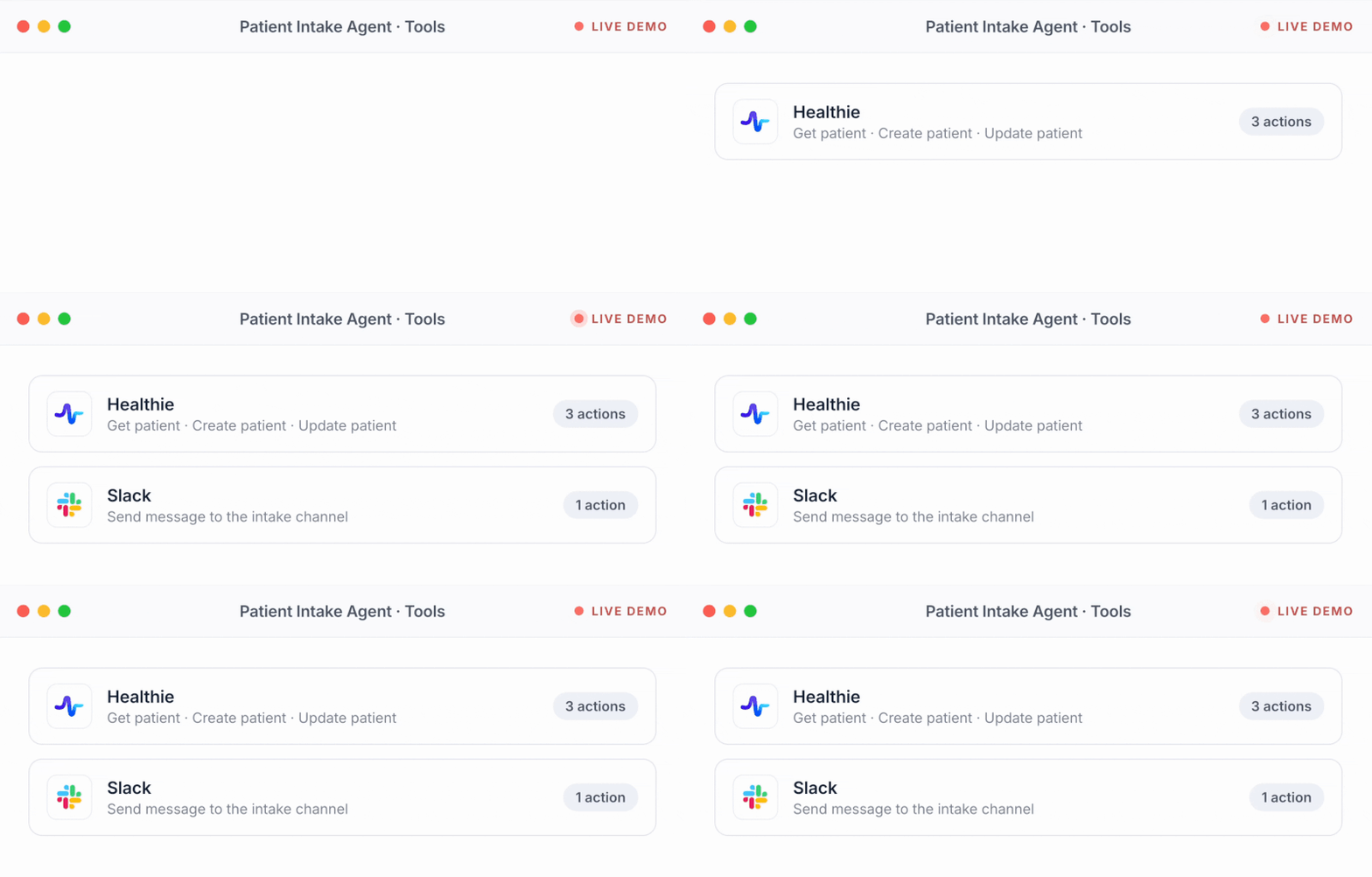
Keragon reads your EHR, reaches the patient through the messaging tool you already use, and writes the booking, the note and the handoff back where your team already looks.
Your EHR or practice management system





 Keragon
- Runs from your EHR's due list and visits, not a spreadsheet
- One conversation per patient, one contact budget
- HIPAA-compliant, BAA included
Your messaging tool




Your team



The alternatives
Your EHR reminds. A suite texts. The agent finishes the follow-up in your EHR.
Keep your EHR and the messaging tool your patients already know. The agent is the loop between them: it reads what is due, reaches the patient, understands the answer and books the visit back where the chart lives.
Specialties
One engagement agent, any kind of practice
Hygiene recall, treatment-interval rebooking, session follow-up, the preventive list: the words and the cadence change, the agent does not.

Mental health
Session follow-ups and homework reminders in plain words, no diagnosis or clinician specialty in a text, the crisis wording your practice approved, and review requests off unless you turn them on.

Dental
Hygiene recall from the due dates in your practice management system, unscheduled treatment followed up, post-op instructions delivered, and the visit booked back into the schedule.

Med spa & aesthetics
Rebooking by treatment interval, aftercare the day after, honest review invitations, and offers kept on their own consent, apart from care messages.
.png)
Primary care
Yearly visits and the preventive list your clinical team approved, follow-up after every visit, and a booking that never pretends to close the clinical gap.


What should your engagement agent do first?
Pick a job or describe your own. It opens in Keragon with the agent drafted, ready to connect your EHR and your messaging tool.

Bring back patients who are due for a visit
Create a recall agent for my practice that reads my EHR every night for patients who are due for a visit and have no future appointment, checks that we have permission to text them, sends one short message inside our quiet hours offering help to book, offers only real open times from my EHR when they reply, books the visit in my EHR once they confirm, stops the sequence the moment they book or say stop, and hands any clinical question or complaint to my front desk with the patient's exact words.

Follow up after every completed visit
Create a post-visit follow-up agent for my practice that, the day after a visit is marked completed in my EHR, sends the patient the approved after-visit information link through our messaging tool, asks one question about whether they need help with the recommended next step, books that follow-up in my EHR if they say yes, records any barrier they mention as a task for my coordinator, and routes any question about symptoms, results or medication to the care team with the original message, without answering it.

Work the care-gap list your team approved
Create a care-gap outreach agent for my practice that works the list of patients my clinical team marked as due for a preventive visit, checks my EHR first for a future appointment or a completed visit so nobody is contacted twice, invites each patient with our approved wording, books the visit from real open times when they reply, records a decline or a done-elsewhere report for the team to verify instead of closing the gap, and never decides on its own who is due.
Every night, find patients in athenahealth who are due for a visit with no future appointment, invite them to book, offer real open times when they reply, and book the visit once they confirm.
The actual rules
This is what "in plain English" looks like
The agent runs on instructions you can read, in your words. Here is part of a set from a practice we will call Northside.
1 · Who to reach
Every patient in athenahealth who is due for a visit with no future appointment, every patient whose visit was marked completed yesterday, and the preventive-visit list Dr Okafor approved this quarter. Skip anyone marked do not contact, deceased or transferred.
2 · When
Recall: on the due date, then day 3, then day 10, then stop and put the name on the front-desk list. Follow-up: the next staffed morning after a completed visit. Review invitation: 48 hours after a visit, once per patient every 90 days.
3 · How, and how often
Between 9am and 7pm in the patient's time zone. At most one message a day and three a week per patient, across everything. Say it is an automated assistant in the first message. Plain words; never a medication, condition or diagnosis in a text.
4 · Who decides
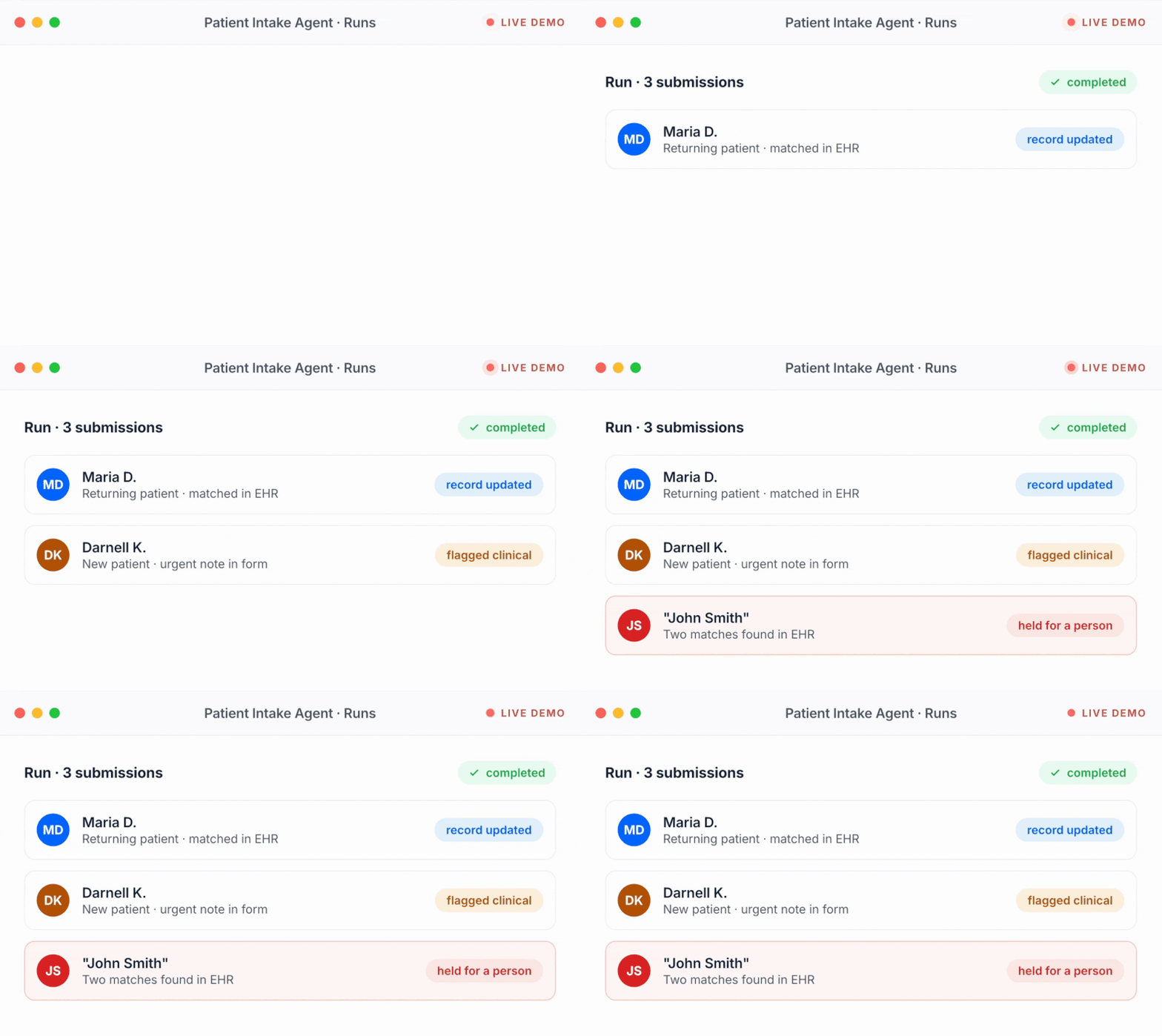
Book only from real open times, only after the patient confirms, only once athenahealth has saved it. A barrier (ride, cost, hours) becomes a callback task for Dana. A reply about symptoms, results or medication goes to Dr Patel's team with the patient's exact words, unanswered. STOP in any wording: suppress every program and send nothing else.
5 · Never
Give clinical advice, decide who is medically due, mark a care gap closed, ask only satisfied patients for a review, offer anything for a review, or send an offer or a promotion in a care message.
What these rules make sure of
- Your EHR is the list. Due means due in athenahealth, not in a spreadsheet someone exported.
- Three touches, then a person. Day 0, day 3, day 10; the unreached go to your team, never into a loop.
- A budget, not a blast. One message a day, three a week, across every program at once.
- Booked means booked. Real open times, the patient's yes, and the EHR's confirmation, in that order.
Change messaging tools, keep every rule. The rules live in Keragon, not in your texting platform.
What it is
What does an AI patient engagement agent do?
A short definition of an AI patient engagement agent, and when it runs for your practice.
What it does
It brings patients back when they are due and follows up after every visit, in the systems your practice already uses. It reads your EHR every night for patients who are due with no future appointment, sends the after-visit information your clinician released the day after a completed visit, reminds patients of tasks in a clinician-approved care plan, works the care-gap list your clinical team approved, reads every reply for what the patient wants, books the next visit into your EHR from real open times once the patient confirms, and asks every eligible patient for an honest review on the same schedule. It keeps one conversation per patient and one contact budget across all of it. It never gives clinical advice, never decides who is medically due, never treats silence as an answer and never asks only satisfied patients for a review; anything clinical, urgent or unclear goes to a named person on your team with the patient's exact words. On Keragon, the visit or the due list in your EHR starts every run, and the booking, the note and the handoff are written back where your team already works.
When it runs
- Every night, for patients who are due for a visit and have no future appointment
- The day after a visit is marked completed in your EHR
- When a task in a clinician-approved care plan comes due
- The moment a patient replies, at any hour
Learn more before you switch anything on
Guides from the Keragon library, written for healthcare operations teams.
FAQ
The questions practice managers ask first
Straight answers, before you commit to anything.
What does an AI patient engagement agent do?
It brings patients back when they are due and follows up after every visit, in the systems you already use. It reads your EHR for patients who are due with no future appointment and invites them, sends the approved after-visit information the day after a completed visit, reminds patients of care-plan tasks, works the care-gap list your clinical team approved, reads every reply, books the next visit into your EHR once the patient confirms, and asks every eligible patient for an honest review. Anything clinical, urgent or unclear goes to a person on your team with the patient's exact words.
Does it actually book the appointment?
Yes, where your EHR lets Keragon read open times and create an appointment: athenahealth, Healthie, Open Dental, Dentrix Ascend, Boulevard, NexHealth, Elation, DrChrono and others. It offers only real open times, books only after the patient confirms, and tells the patient they are booked only once your EHR has saved the appointment. Where an EHR has no slot read, it sends your booking link or hands the request to your front desk instead.
Which EHRs and messaging tools does it work with?
EHRs and practice management systems where the due list and the visit can start the run and the booking can be written back: athenahealth, Healthie, Open Dental, Dentrix Ascend, Boulevard, NexHealth, Elation, DrChrono, Tebra, ModMed and more. Messaging tools your patients already know: Spruce Health, Twilio, Dialpad, RingCentral, Paubox and Podium among them. The full list is at keragon.com/all-integrations.
Can patients reply, and who sees it?
Yes. Every reply is read for what the patient wants: a time, a question about hours or parking, a change of mind, a barrier, a complaint, a request for a person or a stop. The agent answers the practice questions, books when it is asked to, and routes everything else to a named person on your team as a task with the patient's exact words. No reply is left in an inbox nobody owns.
What happens when a reply is clinical or urgent?
The agent stops the routine conversation at once and hands the message to your care team, unanswered, with the patient's exact words and the wording your practice approved for urgent situations. It never interprets a symptom, a result or a medication question, and it never tells a patient that staff have seen the message until a person has acknowledged it. An automated text is never an emergency line, and the first message of every conversation says so.
Will it text patients about their medications?
Not by name. Care-plan reminders say a task is due and link to the secure place where the detail lives; a text never carries a medication, a condition or a diagnosis. If a patient reports a side effect or asks how to take something, the reminder program pauses and the message goes to your care team.
Do we need consent to text patients, and how does STOP work?
Appointment reminders and follow-up about care are treatment communications, which HIPAA permits without a separate authorization, and the TCPA's healthcare exemption covers them when the text goes to the number the patient gave, names the practice, stays within one a day and three a week and carries no marketing. The agent keeps to those limits and your quiet hours, honors STOP in any wording across every program, and treats offers and promotions as a separate kind of message with its own permission. Your practice sets the window and the cap.
How does it ask for reviews?
Every eligible patient gets the same short invitation on the same schedule, with a link to your review page and, if you choose, a private way to reach your team alongside it, offered to everyone. It never picks the satisfied patients, never asks for a star rating and never offers anything in return, which is what Google's policy and the FTC's review rule require. It records that an invitation was sent and whether the link was clicked; a click is not a review.
Our EHR already sends reminders. Why would we need this?
Keep them. Reminders tell a patient about a visit that exists; this agent finds the patients who have no visit, follows up after the ones that happened, and reads the replies your reminders cannot. It books into the same EHR, so there is no second calendar, and the follow-up stops the moment the chart says the visit is booked or moved.
Is it HIPAA-compliant, and do we get a BAA?
Yes. Keragon is HIPAA-compliant and SOC 2 Type II audited, with a BAA included on every paid plan. Messages travel through the messaging tool you choose under its own agreement with you, and bookings, notes and handoffs are written into your own systems.
What does it cost?
Plans are public at keragon.com/pricing, and every plan starts with a 14-day free trial, no credit card. The agent runs as part of your Keragon plan; there are no per-message fees from Keragon. Your messaging tool's own rates are yours, directly with them.
How fast can we go live?
Same day for most practices. Describe the job in plain English, connect your EHR and your messaging tool, set the quiet hours and the contact budget, run it against last month's due list on test data, read who it would have invited and booked, and switch it on for tonight's run.
Built for practices that follow up
Every due patient reached. Every reply with an owner.
Your team keeps every clinical call and every judgement call. Your AI patient engagement agent can be live today.
14-day free trial · no credit card · cancel anytime