Build an AI patient intake agent that gets every patient ready before the visit
Connect your EHR and the forms tool you already use to Keragon. The agent sends the right forms the moment a visit is booked, follows up until they are done, captures and confirms the insurance card, invites the patient to your portal, sends the welcome instructions, files everything to the chart and drafts a cited brief for the clinician the day before. Anything clinical goes to a person on your team.
Your voice AI agent · the conversation
Keragon · in your systems
Illustrative call with synthetic names.
Trusted by healthcare teams across the US






The problem
The packet goes out, and nobody knows what came back until the patient is in the lobby
- Forms are sent, then finished on a clipboard at 8:55 The link went out at booking, nobody chased it, and the front desk re-keys fourteen pages while the waiting room fills.
- The insurance card arrives as a blurry photo in a text thread, or not at all Someone squints at a member ID, types it in, and the problem surfaces weeks later as a rejected claim.
- The clinician opens the chart cold The intake is a PDF attachment, the reason for the visit is in a text nobody read, and the new medication the patient mentioned is nowhere in the chart.
One AI agent, connected to your EHR and the forms tool you already use through Keragon, sends the right packet when a visit is booked, follows up until it is done, captures and confirms the insurance card, invites the patient to your portal, sends the welcome instructions, files everything to the chart and hands your clinician a cited, unsigned brief the day before. Anything clinical goes to a person on your team.
What it handles
Every patient ready before the visit, every item with an owner
The agent does the sending, the chasing, the capturing and the drafting. Your team keeps every clinical call and every judgement call.
Forms and consents
Sends the right forms and consents for the visit type through your forms tool the moment a visit is booked, prefilled, and files the signed documents to the chart.
Packet chase
Follows up until the packet is complete, naming exactly what is missing, at most once a day inside your quiet hours, and stops the moment an item lands.
Insurance-card capture
Asks for the front and back of the card, proposes the fields, has the patient confirm the member ID and files the images and details to the chart.
Portal activation
Reads the patient's portal status in your EHR and sends its own invitation where your EHR supports one. Active means your EHR says active.
Welcome sequence
Sends your welcome, arrival or telehealth instructions and what to bring, in the same conversation as the forms, never as a second campaign.
Pre-visit brief
The day before, drafts an unsigned brief for the clinician from the intake answers and the chart, with a source on every line and what is still missing shown plainly.
shieldGuardrails
It sends forms, chases paperwork and files documents. A question about symptoms, medication or results goes to your care team unanswered, with the patient's exact words.
It never cancels a visit and never tells a patient they cannot be seen. A packet still open on the day becomes a task for your front desk, not a warning to the patient.
A form counts as complete only when the signed document is filed in your EHR and read back. A link opened, a card photo received or a portal invitation clicked is recorded as exactly that.
The pre-visit brief is an unsigned draft. Every line cites its source, what the patient reported is labelled as such, and the clinician decides what becomes part of the record.
Connect your EHR, your forms tool, your signature tool and the messaging tool you already use to Keragon, then describe the job. The agent sends, chases, captures and drafts, and files everything where your team already looks. HIPAA-compliant, every visit.
From a booking in your EHR to a patient who arrives ready
Describe the job and Keragon runs it end to end, connected to your practice management system, phones, forms and messaging, HIPAA-compliant, even after hours.


How it connects
The booking starts it. The patient arrives ready.
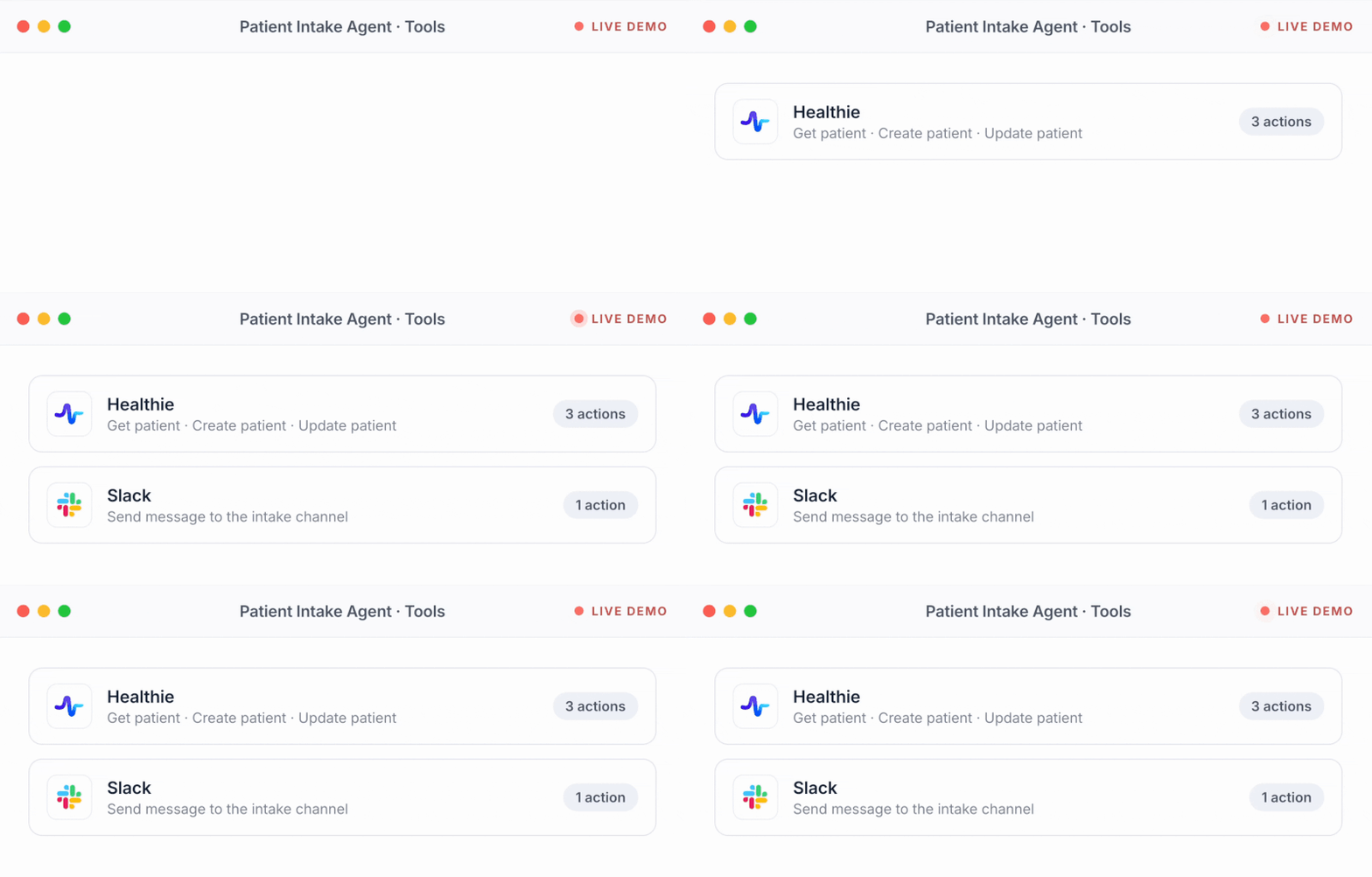
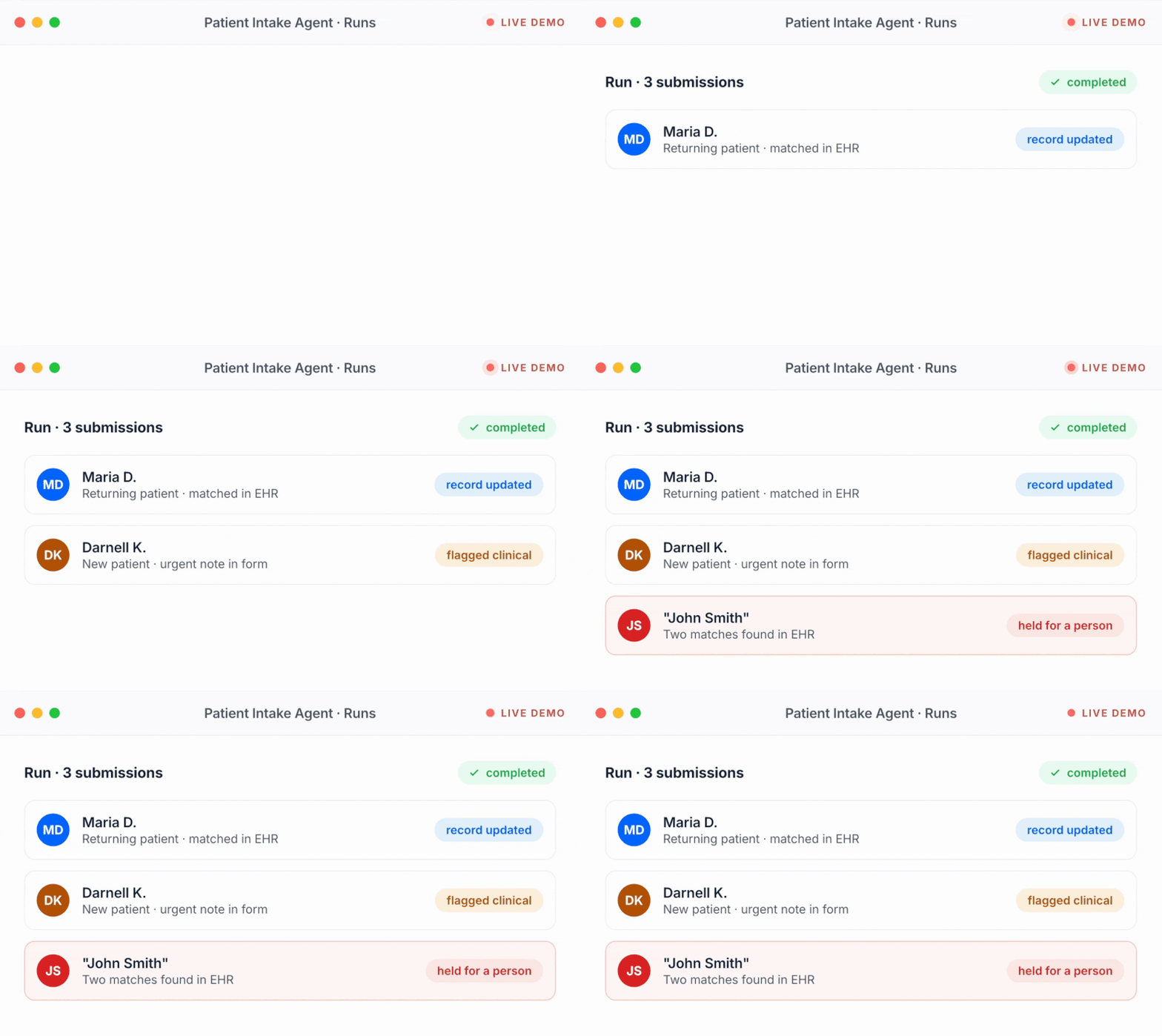
Keragon reads the booking in your EHR, sends the packet through the forms tool you already use, reaches the patient on your channel, and files the documents and the brief back into the chart.
Your EHR or practice management system





 Keragon
- Runs from your EHR's bookings, not a spreadsheet
- One conversation per patient, one readiness list
- HIPAA-compliant, BAA included
Your forms and signature tools


Your patient channel and your team




The alternatives
A forms tool stops at the form. An intake platform stops at its own walls.
Keep your forms tool and your EHR. The agent is the layer between them that sends, chases, captures and drafts, and your team stays the one who decides.
Specialties
One intake agent, any packet
A therapy consent, a dental medical history, a treatment-specific release, a Medicare wellness questionnaire: the packet changes, the agent does not.

Mental health
The client packet and the telehealth consent out when the first session is booked, screeners filed to the chart as scores the clinician reviews, and anything a client writes about how they feel handed to the clinician, never answered.

Dental
New patient and medical-history forms before the first visit, the insurance card captured for the benefits check your team runs, and medication and allergy answers filed where the dentist reads them.

Med spa & aesthetics
Treatment-specific consents and the photo release sent with the booking and kept separate, intake filed to the EMR as the medical record, and no candidacy or treatment question answered.
.png)
Primary care
New patient history, the Medicare wellness questionnaire where it applies, the card captured and confirmed, and a cited brief with the patient's reason for the visit before the clinician opens the chart.


What should your intake agent handle first?
Pick a job or describe your own. It opens in Keragon with the agent drafted, ready to connect your EHR and your forms tool.

Send the right forms the moment a visit is booked
Create a patient intake agent for my practice that sends the right intake forms and consents for the visit type the moment an appointment is booked in my EHR, prefilled with what we already know, and files the completed answers and the signed documents to the patient's chart. Mark the packet done only when the signed forms are filed. Anything clinical goes to my team. Ask me what you need: my EHR, my forms tool and which forms each visit type needs.

Chase the missing items before the visit
Create a packet chase agent for my practice that checks each upcoming visit for intake items still missing, sends at most one short message a day inside our quiet hours naming exactly what is left with a link to finish it, stops the moment the item lands or the patient says stop, and hands anything it cannot resolve to the front desk two days before the visit. Ask me what you need: my EHR, my messaging tool and my reminder rules.

Draft a cited pre-visit brief for the clinician
Create a pre-visit brief agent for my practice that, the day before each visit, reads the completed intake answers and the patient's chart in my EHR and drafts a short unsigned brief for the clinician: the reason for the visit in the patient's words, what the patient reported that differs from the chart, what is still missing, and a source for every line. It never diagnoses or reconciles medications; the clinician reviews. Ask me what you need: my EHR and where to file the brief.
When a visit is booked in athenahealth, send the new patient packet from Jotform prefilled, follow up until it is signed and filed, and put anything still open two days before the visit on the front desk's list.
The actual rules
This is what "in plain English" looks like
The agent runs on instructions you can read, in your words. Here is part of a set from a practice we will call Northside.
1 · What to send
When a visit is booked in athenahealth, send the packet for that visit type from our Jotform templates, prefilled with what we already have. A new patient gets the full packet; a returning patient is asked to confirm what changed, not to retype it. The consent goes out from our Docusign template.
2 · When to follow up
At booking, three days before the visit, and 48 hours before with exactly what is left. Never more than one message a day, only between 8am and 8pm in the patient's time zone, and stop the moment the item lands, the visit is cancelled or the patient says stop.
3 · What counts as done
A form is complete when the signed PDF is filed in the chart and read back. The card is complete when both sides are legible and the patient has confirmed the member ID. The portal is active only when athenahealth says it is.
4 · The brief
The day before the visit, draft a brief for the clinician as an unsigned appointment note: the reason for the visit in the patient's words, what the patient reported that differs from the chart, what is still missing, and a source on every line. Label everything the patient reported as patient-reported.
5 · Never
Answer a question about symptoms, medication or results. Cancel a visit or tell a patient they cannot be seen. Ask for a password or a code. Put health details in a text message. Mark anything complete from a link click.
What these rules make sure of
- The right packet, every time. The visit type decides, not whoever is at the desk.
- One message a day, at most. Inside the hours you set, naming what is left.
- Done means filed. Signed, in the chart, read back.
- Your clinician decides. A cited draft, never a signed record.
Change forms tools, keep every rule. The rules live in Keragon, not in your forms tool.
What it is
What does an AI patient intake agent do?
A short definition of an AI patient intake and pre-visit prep agent, and when it runs for your practice.
What it does
It gets every patient ready before the visit, in the systems your practice already uses. The moment a visit is booked in your EHR it sends the right forms and consents for that visit type through your forms tool, prefilled with what you already know, and follows up until they are complete, naming exactly what is missing and stopping the moment an item lands. It asks for the front and back of the insurance card, proposes the fields, has the patient confirm the member ID and files the images and details to the chart. It reads the patient's portal status in your EHR and sends an invitation where your EHR supports one, sends your welcome and arrival instructions in the same conversation, and files every signed document to the chart as your record. The day before the visit it drafts an unsigned brief for the clinician from the intake answers and the chart, with a source on every line, what the patient reported kept apart from what the chart says, and what is still missing shown plainly. It never answers a clinical question, never cancels a visit over paperwork and never puts anything in the chart as fact; anything clinical, urgent or unclear goes to a named person on your team with the patient's exact words. On Keragon, the booking in your EHR starts every run, and the forms, the card, the note and the handoff are written back where your team already works.
When it runs
- A visit is booked or changed in your EHR
- Three days and 48 hours before each visit, for every item still open
- When a form lands, a consent is signed or a card photo arrives
- The day before the visit, to draft the clinician's brief
Learn more before you switch anything on
Guides from the Keragon library, written for healthcare operations teams.
FAQ
The questions front desks ask first
Straight answers, before you commit to anything.
What does an AI patient intake agent do?
It gets every patient ready before the visit, in the systems you already use. When a visit is booked in your EHR it sends the right forms and consents for that visit type through your forms tool, follows up until they are complete, captures and confirms the insurance card, invites the patient to your portal where your EHR supports it, sends your welcome instructions, files every signed document to the chart and, the day before, drafts a cited brief for the clinician. The sending, chasing, capturing and drafting are automatic; every clinical call and every judgement call stays with your team.
Which forms tools and EHRs does it work with?
Forms and signatures: Jotform, IntakeQ, Typeform, Google Forms, Docusign, Dropbox Sign and more. EHRs where the booking can start the run and the documents can be filed back: athenahealth, Healthie, Elation, DrChrono, Canvas Medical, AdvancedMD, eClinicalWorks and more. The full list is at keragon.com/all-integrations.
Does it replace our forms tool or our intake platform?
No. It sends your existing forms through the tool they already live in and files the answers and the signed documents to your EHR. If you already use an intake platform, the agent is the layer that follows the packet into your chart, confirms the card with the patient and puts the brief in front of the clinician; you keep both.
Where do the signed consents live?
In your EHR or your document system, which stays the record. The agent sends the consent from your template, downloads the signed document and files it to the patient's chart, then reads it back to confirm it is there. Keragon is the layer that moves the documents, not where they live.
Does it verify insurance?
This agent captures the card: it asks for the front and back, proposes the fields, has the patient confirm the member ID and files the images and details to the chart. Checking coverage and benefits is the job of the AI insurance verification agent, which picks up where this one leaves off.
Can it activate the patient portal?
Where your EHR exposes the portal's status and its own invitation, yes: it reads whether the patient is already active, sends the EHR's invitation when they are not, and records active only when your EHR says so. athenahealth and DrChrono expose this today. On other EHRs the step is left out of the plan rather than promised.
What is in the pre-visit brief, and does it make clinical judgements?
The brief is an unsigned draft in your EHR: the reason for the visit in the patient's words, what the patient reported that differs from the chart, the consents and card status, what is still missing, and a source on every line. It never diagnoses, never ranks patients and never reconciles medications; it shows the difference and the clinician decides.
What happens when a patient writes something clinical into the forms or a reply?
The agent does not answer it. It tells the patient the question has been passed to the care team, creates a task with the patient's exact words for a named person to acknowledge, and leaves the intake items as they were. Your practice decides who is on call for those tasks and how fast they are picked up.
How does it handle minors, guardians and other representatives?
Your practice's policy decides who may sign for whom, and the agent follows it: it sends the packet to the contact your EHR holds for the patient, records who signed each document, and hands anything unclear about who may sign to your front desk instead of guessing.
How often will it message a patient?
As often as you allow and no more. A typical set of rules is one message a day at most, inside the hours you set in the patient's time zone, naming exactly what is still missing, and stopping the moment the item lands, the visit is cancelled or the patient replies STOP. Every message carries an opt-out and identifies the practice.
Is it HIPAA-compliant, and do we get a BAA?
Yes. Keragon is HIPAA-compliant and SOC 2 Type II audited, with a BAA included on every paid plan. Forms, signatures and messages move through the tools you already have agreements with, and the documents land in your own EHR.
What does it cost?
Plans are public at keragon.com/pricing, and every plan starts with a 14-day free trial, no credit card. The agent runs as part of your Keragon plan; your forms tool's and messaging tool's own subscriptions are yours, directly with them.
How fast can we go live?
Same day for most practices. Describe the job in plain English, connect your EHR, your forms tool and your messaging tool, set the rules, run it against next week's booked visits on test data, read what it would have sent and drafted, and switch it on for tomorrow's bookings.
What about returning patients?
A returning patient is asked to confirm what changed, not to fill everything in again. The agent sends only the forms that are missing or out of date for that visit type, keeps the signed documents that are still valid, and still captures a new card when the patient reports a change.
Built for healthcare front desks and clinicians
Every patient ready. Every item with an owner.
Your team keeps every clinical call and every judgement call. Your AI patient intake and pre-visit prep agent can be live today.
14-day free trial · no credit card · cancel anytime