


DrChrono to QuickBooks Billing Sync
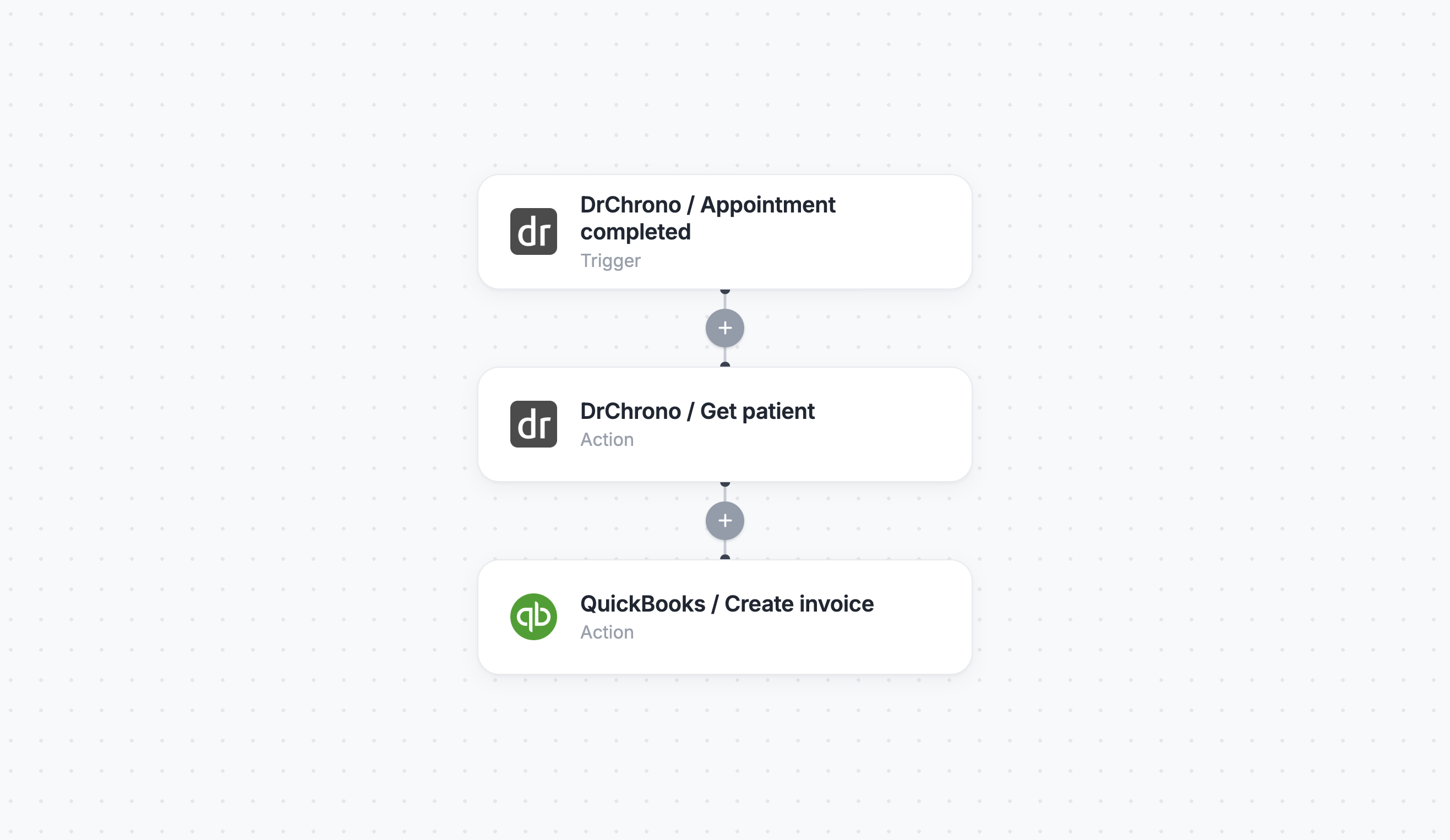
When an appointment is completed in DrChrono, Keragon automatically creates a matching invoice in QuickBooks. Your EHR and accounting stay in sync — no double data entry.
Click to expand
How the automation runs
- An appointment is completed in DrChrono
- Keragon retrieves the patient's information and appointment details
- QuickBooks creates a new invoice for the completed visit
- Both systems stay in sync — no double entry required
Is this for you ?
This template is built for solo practices and small clinics automating their post-visit billing workflow.
- You use DrChrono as your EHR and QuickBooks for accounting
- Your team manually creates QuickBooks invoices after each completed DrChrono appointment
- You want to eliminate double data entry between your clinical and financial systems
- You're a solo practice or small clinic looking to automate your post-visit billing workflow



More templates by
Keragon
More
Billing & Insurance
templates































FAQ
No items found.